
Google Appointment Redirect · Included in Pro and Max
Online appointment booking from Google Search and Maps
Help patients book when they discover your clinic. Google Appointment Redirect connects eligible clinic listings on Search and Maps to your Appointik booking portal, where patients can choose a service and an available time and complete their appointment.
Enable it under Setup → Online Booking Portal in the Clinic Web App.
How patients book from Google
1. Discover your clinic
A patient finds your clinic while searching for care on Google Search or Maps.
2. Open your booking portal
The booking link takes them to your clinic’s Appointik portal, with your services and appointment options.
3. Complete an appointment
The patient selects a service and available time and completes the booking on Appointik.
An easier next step for patients and reception
Book while looking for care
Give patients a direct booking path when they are already exploring your clinic on Search or Maps.
Reduce scheduling calls
Let patients see the services and slots you offer, reducing back-and-forth coordination with your team.
Keep booking available
Patients can choose an appointment online even when reception is closed, using the slots you configure.
Enable Google Appointment Redirect in Appointik
- Sign in to the Clinic Web App with your clinic's Pro or Max account.
- Open Setup → Online Booking Portal.
- Review your clinic's portal details, services, pricing and available appointment slots. Appointik lets you assign services and slots to specific doctors.
- Enable Google Appointment Redirect from the Online Booking Portal setup.
Availability depends on Google's eligibility requirements and your clinic's setup. If you need help, contact Appointik support.
See the patient booking experience
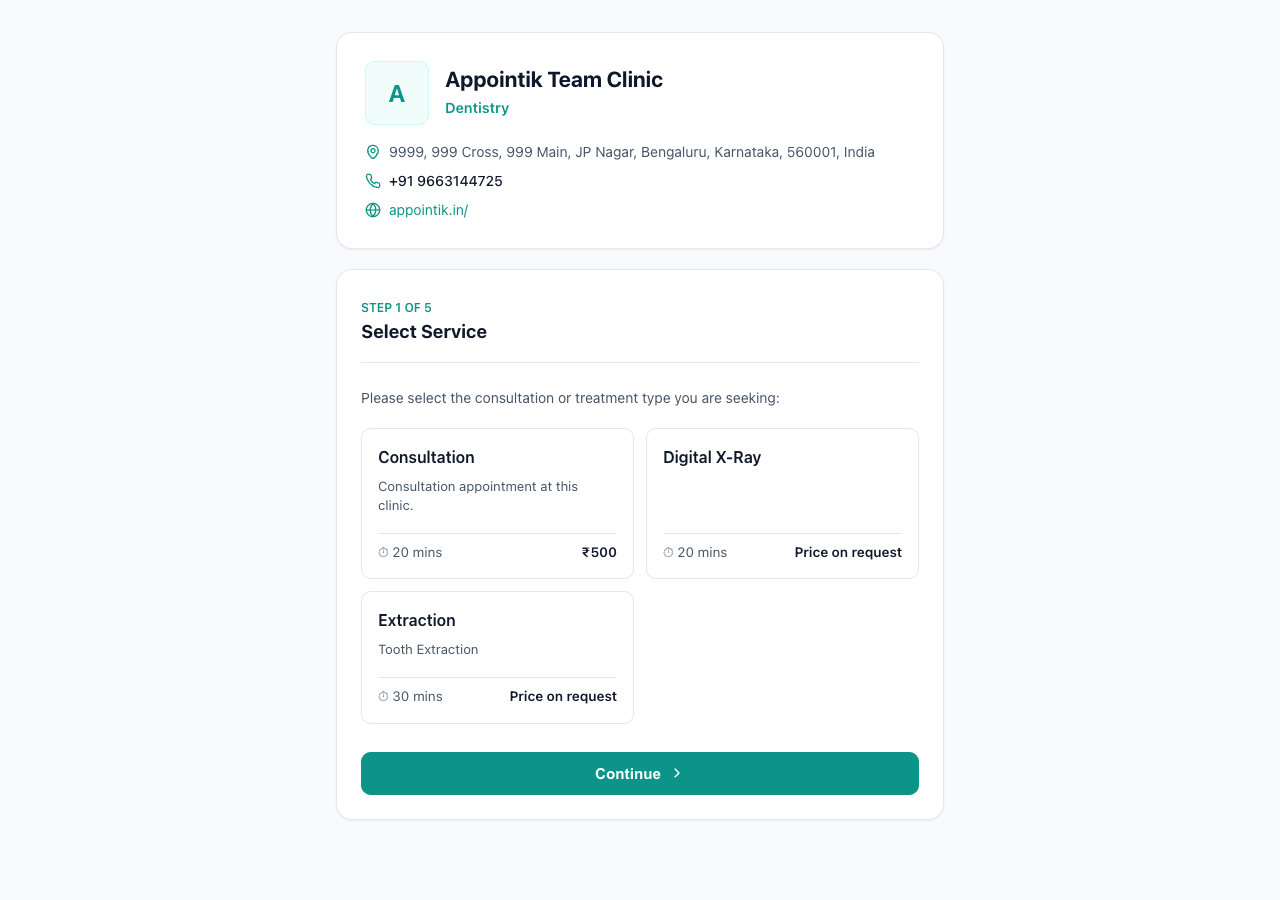
Explore the Appointik Team Clinic demo portal to see how patients start by selecting a service. Your clinic's portal shows the services and appointment options you configure.
Google appointment booking questions
Which Appointik plans include Google Appointment Redirect?
Google Appointment Redirect is included in Pro and Max accounts. It is not included in Lite. Google’s clinic and service eligibility requirements also apply.
Where does the patient complete the booking?
Google Search or Maps directs the patient to your clinic’s Appointik booking portal. The patient chooses a service and available time and completes the appointment on that portal.
How do I enable Google bookings for my clinic?
Sign in to the Clinic Web App with a Pro or Max account, open Setup → Online Booking Portal, review your booking portal configuration and enable Google Appointment Redirect. Contact support if you need help with your clinic’s setup or eligibility.
Can patients book outside clinic opening hours?
Patients can use your online portal outside reception hours to choose from the appointment slots your clinic makes available. Your configured schedule determines when appointments can take place.
Does this guarantee a higher position in Google Search or Maps?
No. Google controls eligibility, placement and search ranking. Appointment Redirect gives eligible clinics a path from discovery to online booking; it does not guarantee rankings, a particular display position or a number of appointments.
For more about how the integration works, read Google's Appointments Redirect overview. You can also explore all Appointik features or ask our support team about your clinic.